
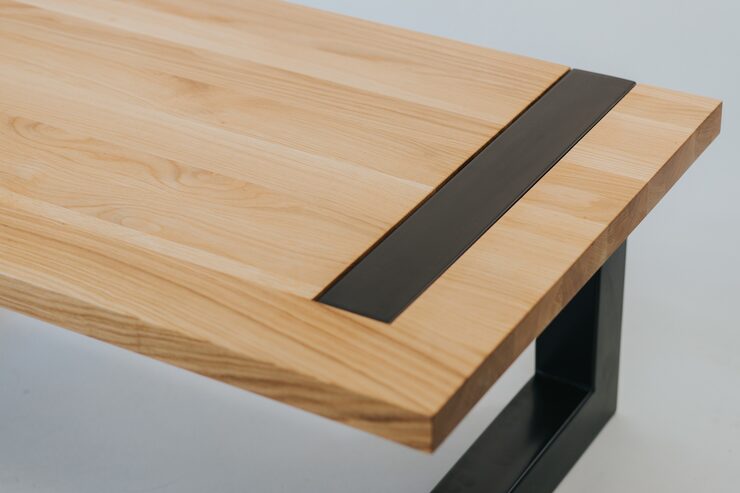
A corner desk solid wood design can be an excellent solution for creating a practical, attractive, and durable workspace without wasting valuable floor area. Whether you are furnishing a home office, study room, bedroom, or creative workspace, a well-designed wooden corner desk can provide generous working space while fitting neatly into an unused corner. Solid timber also brings natural character, strength, and warmth that can make a workspace feel more comfortable and inviting.
Why Choose a Solid Wood Corner Desk?
A corner workstation is designed to use two adjoining walls efficiently. Instead of placing a standard rectangular desk in the middle of a room, a corner design can create a dedicated work zone while leaving more open floor space.
Solid wood adds another important advantage: durability. High-quality timber can withstand everyday use, monitor equipment, books, writing materials, and other office essentials. With appropriate care, a well-made wooden desk can remain functional and attractive for many years.
Wood also offers visual versatility. Depending on the species, finish, and design, it can complement rustic, traditional, industrial, Scandinavian, farmhouse, or contemporary interiors.
Key Benefits
Some of the most important advantages include:
- Efficient use of unused corners
- Strong and durable construction
- Natural wood grain and character
- Large working surface
- Suitable for home offices and study areas
- Long service life when properly maintained
- Easy to coordinate with other wooden furniture
- Potential to refinish or repair certain surfaces
- Comfortable option for computer and writing work
The main disadvantage is that solid timber furniture can be heavier and more expensive than particleboard or laminate alternatives. However, the additional durability may make it a worthwhile long-term investment.
Choosing the Right Wood Species
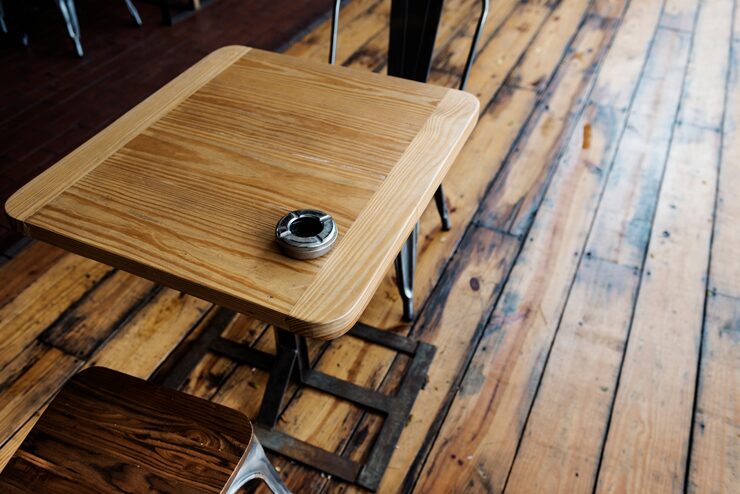
The type of timber used can influence appearance, durability, weight, price, and maintenance requirements. Different woods have distinctive grain patterns and colors.
Oak
Oak is one of the most popular choices for furniture because it combines durability with an attractive grain. It works well in traditional and modern interiors and can be finished in many shades.
Pine
Pine is generally lighter and more affordable than many hardwoods. Its softer surface can develop dents more easily, but its natural appearance works particularly well in casual and farmhouse-style rooms.
Walnut
Walnut is valued for its rich color and elegant grain. It can create a sophisticated appearance and works especially well in executive-style home offices.
Maple
Maple tends to have a lighter, cleaner appearance. Its relatively hard surface makes it suitable for furniture that receives frequent use.
| Wood type | Appearance | Durability | Typical style |
|---|---|---|---|
| Oak | Pronounced natural grain | High | Traditional and modern |
| Pine | Light and warm | Moderate | Farmhouse and casual |
| Walnut | Dark and refined | High | Contemporary and executive |
| Maple | Light and smooth | High | Minimalist and modern |
The best choice depends on your budget, preferred appearance, expected use, and the rest of your room’s furniture.
Measuring the Available Space
Before buying a corner desk, measure the available area carefully. A desk can look compact in photographs but occupy considerable space once installed.
Measure both wall lengths, the distance between the walls, ceiling height if shelving is included, and the available clearance around doors and windows.
Also consider the position of electrical outlets. A desk that blocks access to sockets can make computer and lighting setup unnecessarily difficult.
Allow Enough Legroom
Do not focus only on the desktop dimensions. The space beneath the desk needs to remain comfortable.
Check whether drawers, cabinets, support panels, or crossbars interfere with your knees. If you plan to use a rolling office chair, allow sufficient clearance for movement.
A corner desk should make the room more functional, not create a cramped workstation.
Choosing the Right Desk Shape
Corner desks are available in several configurations.
L-Shaped Designs
An L-shaped workstation provides two connected work surfaces. One side can hold a computer setup while the other is used for paperwork, writing, or creative activities.
Compact Corner Designs
Smaller desks are useful for bedrooms, apartments, and study areas where space is limited. They can provide enough room for a laptop and essential accessories without overwhelming the room.
Large Executive Designs
Larger models provide extensive working space and may include storage cabinets, drawers, or shelving. These are suitable for dedicated home offices where the desk serves as the primary workstation.
Storage Options to Consider
Storage can make a significant difference to how practical the workstation becomes.
Drawers are useful for smaller items such as stationery, documents, cables, and accessories. Cabinets provide enclosed storage for larger supplies.
Open shelving is convenient when frequently used items need to remain visible and accessible.
However, excessive storage can make a corner desk appear bulky. If the room is small, a cleaner design with limited drawers and wall-mounted shelving may create a more open appearance.
Built-In vs. Freestanding Storage
Built-in storage can provide excellent organization and maximize the available corner, but it may be difficult to relocate.
Freestanding desks offer greater flexibility. They can be moved, rearranged, or repurposed if you change your room layout.
Think about your long-term needs before selecting a permanent configuration.
Desk Height and Ergonomics
A beautiful desk will not be comfortable if its dimensions are unsuitable for your body and equipment.
The desktop should allow your arms to rest comfortably while typing. Your monitor should also be positioned at an appropriate height to reduce unnecessary neck strain.
An adjustable office chair can help compensate for small differences in desk height, but the overall setup should still be comfortable.
Computer Setup Considerations
If you use multiple monitors, measure their combined width before purchasing the desk. Consider monitor stands, speakers, a laptop dock, and other equipment.
Cable management is another important factor. Some desks include cable openings or concealed channels, while simpler designs may require external cable-management accessories.
Planning these details before installation can prevent a cluttered workspace.
Surface Finish and Maintenance
The finish protects the timber and influences its appearance. Common finishes include oil, wax, lacquer, and polyurethane-style protective coatings.
Oiled surfaces can emphasize natural grain but may require periodic maintenance. Lacquered or sealed surfaces generally provide stronger protection against everyday spills and marks.
Basic Care Tips
To keep a wooden workstation looking its best:
- Dust the surface regularly with a soft cloth.
- Clean spills promptly.
- Avoid placing extremely hot objects directly on the surface.
- Use coasters or desk mats when appropriate.
- Keep the furniture away from excessive moisture.
- Avoid harsh cleaning chemicals.
- Follow the care instructions provided for the particular finish.
Wood naturally changes over time. Exposure to sunlight can gradually alter its color, so consistent placement can help maintain a more uniform appearance.
Comparing Solid Timber With Other Desk Materials
Solid wood is not the only option available. Comparing materials can help you determine whether it suits your needs.
| Material | Durability | Appearance | Weight | Price range |
|---|---|---|---|---|
| Solid wood | High | Natural and distinctive | Heavy | Medium to high |
| MDF | Moderate | Uniform | Moderate | Low to medium |
| Particleboard | Moderate to low | Usually laminated | Light to moderate | Low |
| Metal and wood combination | High | Industrial | Moderate to heavy | Medium to high |
| Glass | Moderate | Contemporary | Moderate | Medium |
Solid timber generally stands out for longevity and natural appearance. Engineered materials may be more affordable and lighter, while metal combinations can provide a modern industrial style.
How to Match the Desk With Your Interior
The desk should complement the room rather than appear disconnected from it.
For a traditional room, a darker wood finish with classic hardware may work well. Modern interiors may benefit from clean lines, simple legs, and a lighter finish.
In a farmhouse-style space, natural timber with visible grain can create a warm atmosphere.
For minimalist rooms, avoid excessive decorative details and choose a simple design that provides adequate functionality without visual clutter.
Buying Considerations
When comparing different desks, look beyond photographs and advertised dimensions.
Check the construction quality, thickness of the desktop, joinery, drawer operation, hardware, finish, and overall stability.
A desk should not wobble when typing or writing. Drawers should open smoothly, and the surface should feel solid under normal use.
If the desk arrives assembled, check that it can fit through the doorway, hallway, and staircase before purchasing. Large corner furniture can be difficult to maneuver in narrow spaces.
Important Questions Before Buying
Ask yourself:
- How much desktop space do I actually need?
- Will I use one monitor or several?
- Do I need drawers or cabinets?
- Is the corner large enough for the desk?
- Can the desk be moved if my needs change?
- Does the finish match my existing furniture?
- Is the construction strong enough for my equipment?
- How much maintenance am I willing to perform?
These questions can prevent buying a desk that looks attractive but does not work well for your daily routine.
DIY or Custom-Made Options
A custom-built corner workstation can be useful when the room has unusual dimensions. A carpenter or furniture maker can design the desk around existing walls, windows, shelves, and electrical outlets.
Custom construction can also provide exactly the storage arrangement you need.
The downside is usually higher cost and less flexibility if you move to another property.
DIY furniture kits can be less expensive, but construction quality varies. Follow assembly instructions carefully and make sure all joints and supports are properly secured.
Key Points to Remember
- Measure the corner carefully before purchasing.
- Choose timber based on durability, appearance, and budget.
- Make sure the desk provides enough legroom.
- Consider monitor size and cable management.
- Select storage according to your actual needs.
- Check the finish and maintenance requirements.
- Look for stable construction and quality hardware.
- Match the furniture style to the rest of the room.
- Consider custom construction for unusual spaces.
- Think about future room changes before choosing a permanent design.
Final Thoughts
A well-chosen wooden corner workstation can turn an unused part of a room into an efficient and attractive place to work, study, create, or organize daily tasks. Solid timber offers durability, natural beauty, and the potential for long-term use, making it appealing for people who want furniture that can remain useful for years.
The most important step is choosing a design that fits both the physical space and your working habits. Measure carefully, consider storage and ergonomics, select an appropriate wood species, and pay attention to construction quality.
With the right combination of size, material, storage, and design, a corner workstation can provide a comfortable workspace while helping the room remain organized and visually balanced.
Frequently Asked Questions
1. Is solid wood a good material for a computer desk?
Yes. Solid timber is strong and durable, making it suitable for computers, monitors, books, and other office equipment. A properly finished surface can also withstand regular everyday use.
2. What is the best wood for a durable desk?
Oak, walnut, and maple are popular choices because they offer good durability and attractive grain patterns. The best option depends on your budget, preferred appearance, and maintenance expectations.
3. Are corner desks suitable for small rooms?
Yes. A compact corner design can make efficient use of an otherwise unused area. However, measurements should include chair clearance, drawer access, door movement, and space for equipment.
4. How do I protect a wooden desktop from scratches?
Using a desk mat, coasters, and protective pads can help prevent scratches and marks. Cleaning spills promptly and avoiding abrasive cleaners will also help preserve the finish.
5. Is a custom corner desk worth the cost?
A custom design can be worthwhile when a room has unusual dimensions or when specific storage and workspace requirements cannot be met by standard furniture. For straightforward spaces, a high-quality ready-made option may provide better value.